Import Strata Cloud Manager Snippets to Terraform
Step 1: Create a Service Account
To get started with creating your Terraform environment, you must first create a service account. This account provides the Client ID and Client Secret required for Terraform to authenticate and provision your resources securely.
To create a service account:
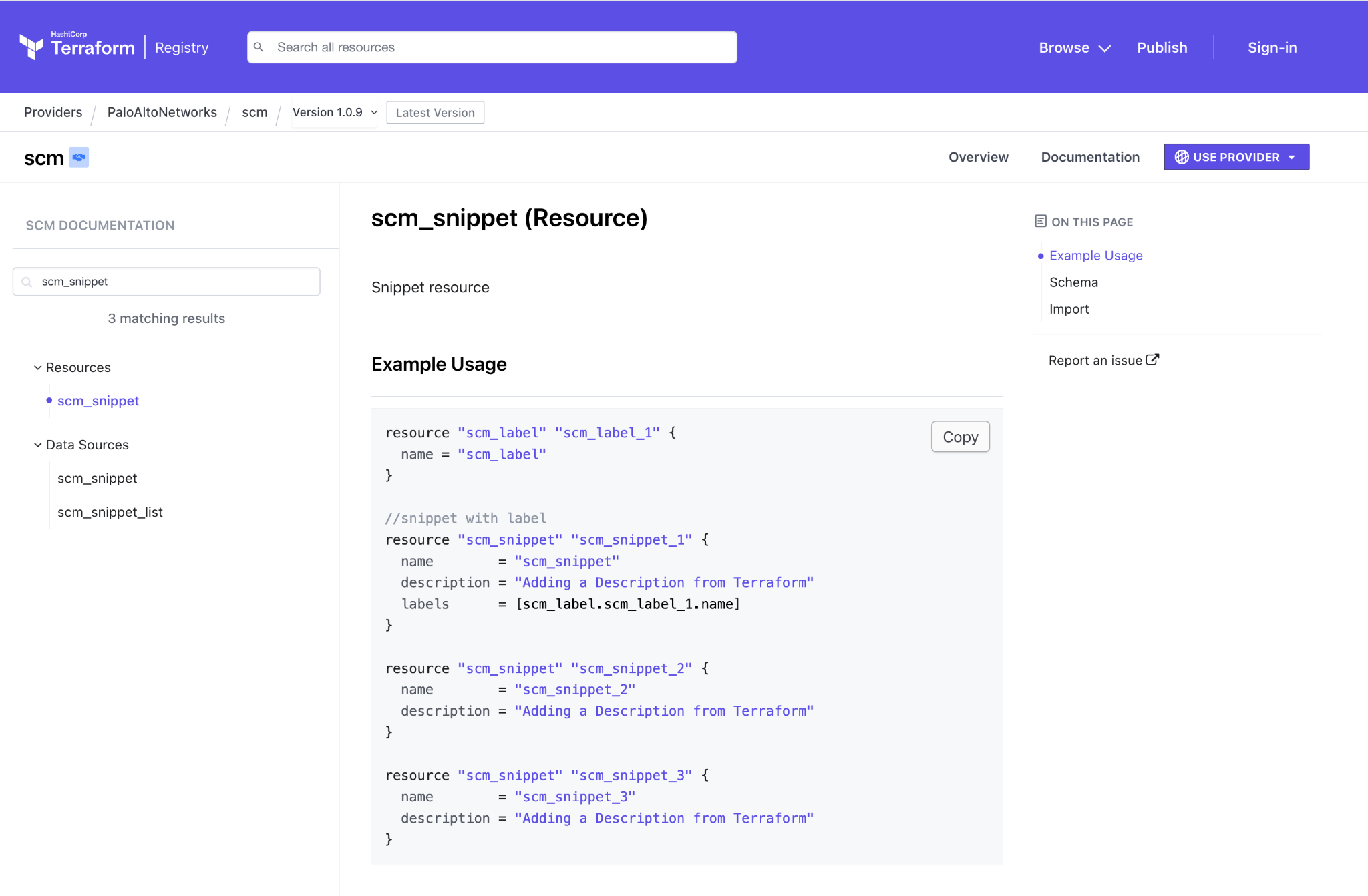
- Select System Settings > Identity & Access Management.
- Click Add Identity.
- Choose Service Account as the Identity Type, complete the required fields, and then click Next.
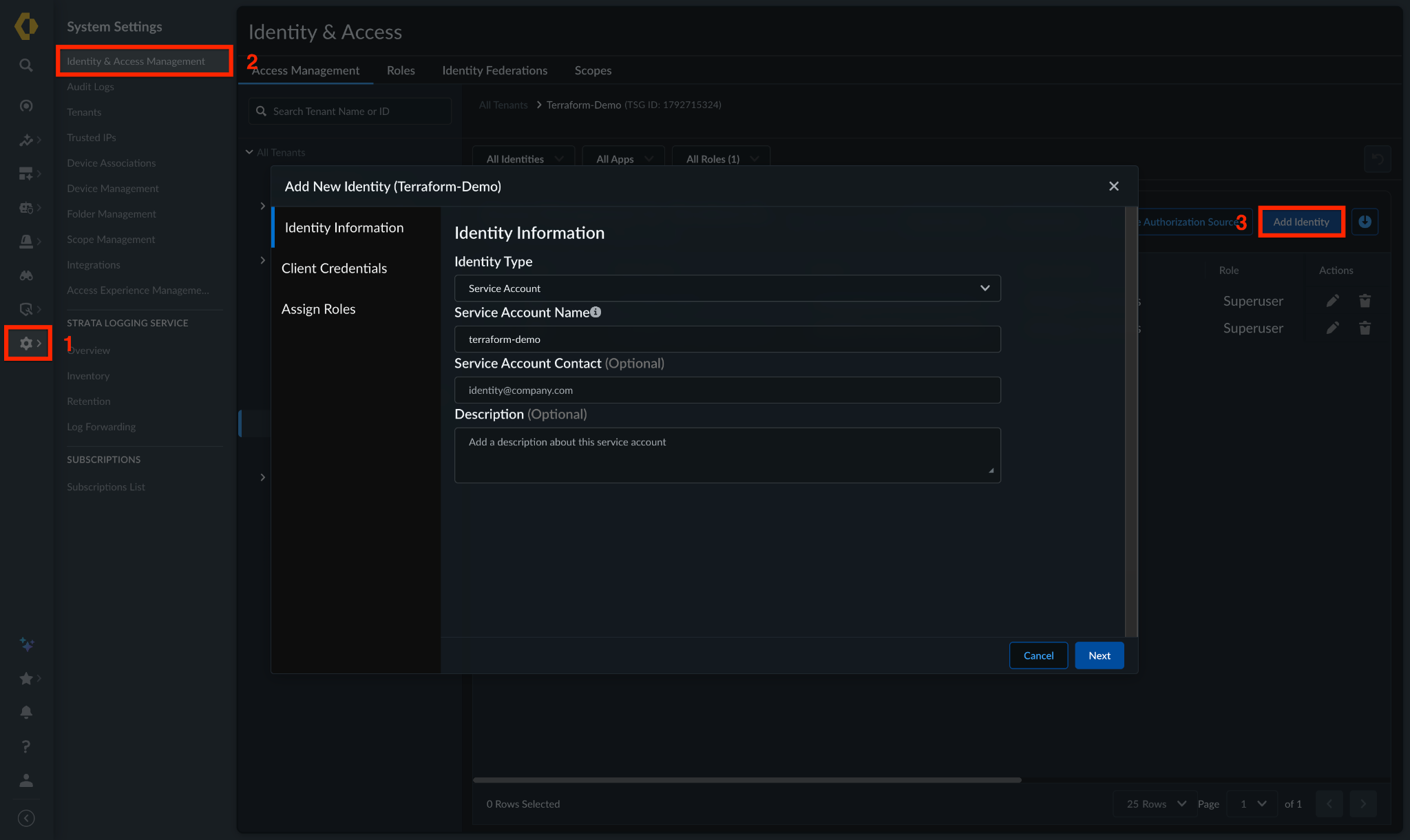
- Download and save the Client Credentials. Click Next.
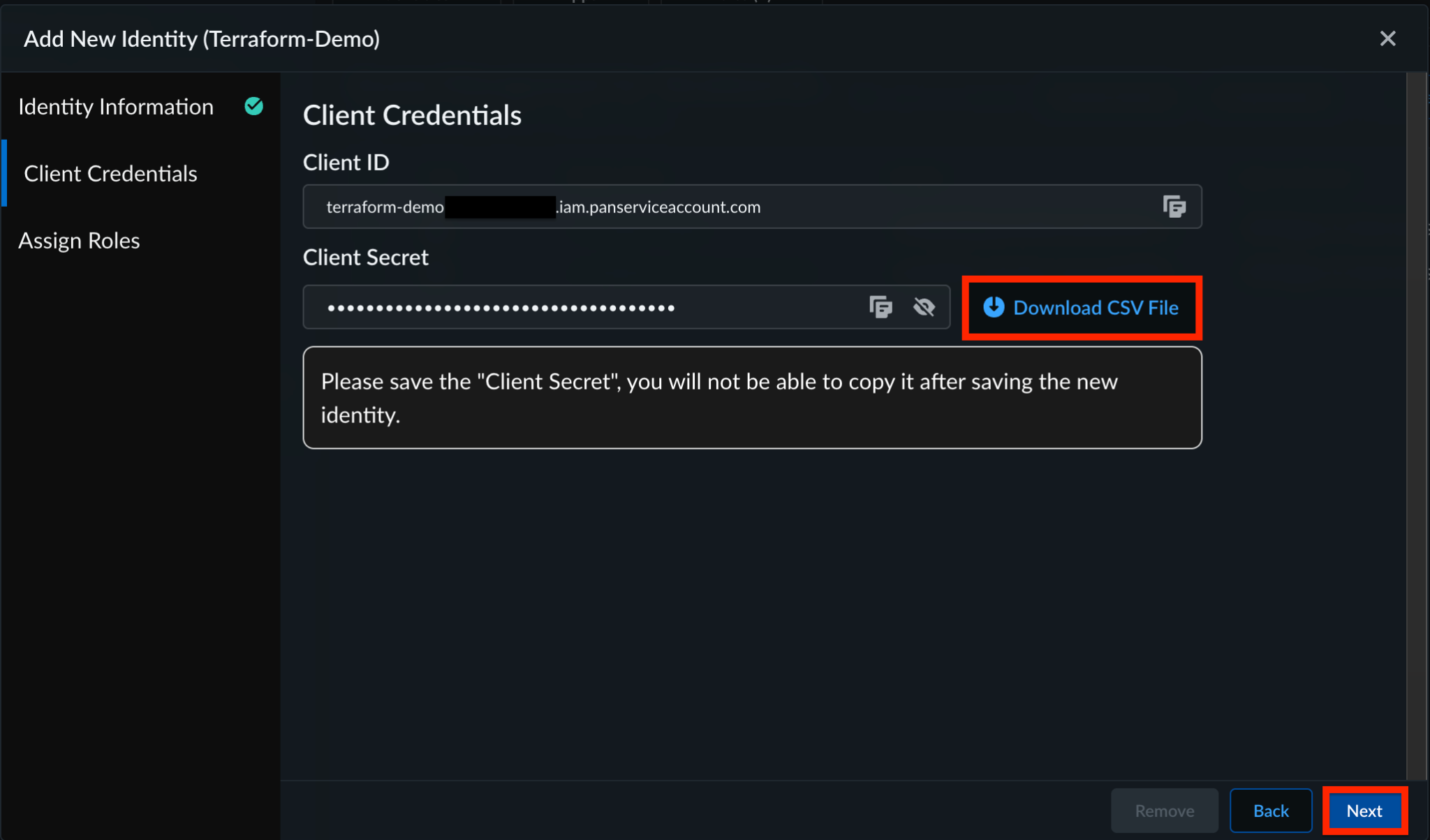
- Assign a role to your service account, ensuring you grant only the minimum permissions necessary for your needs. Then, click Submit.
Step 2: Provider Block Configuration
- Create a
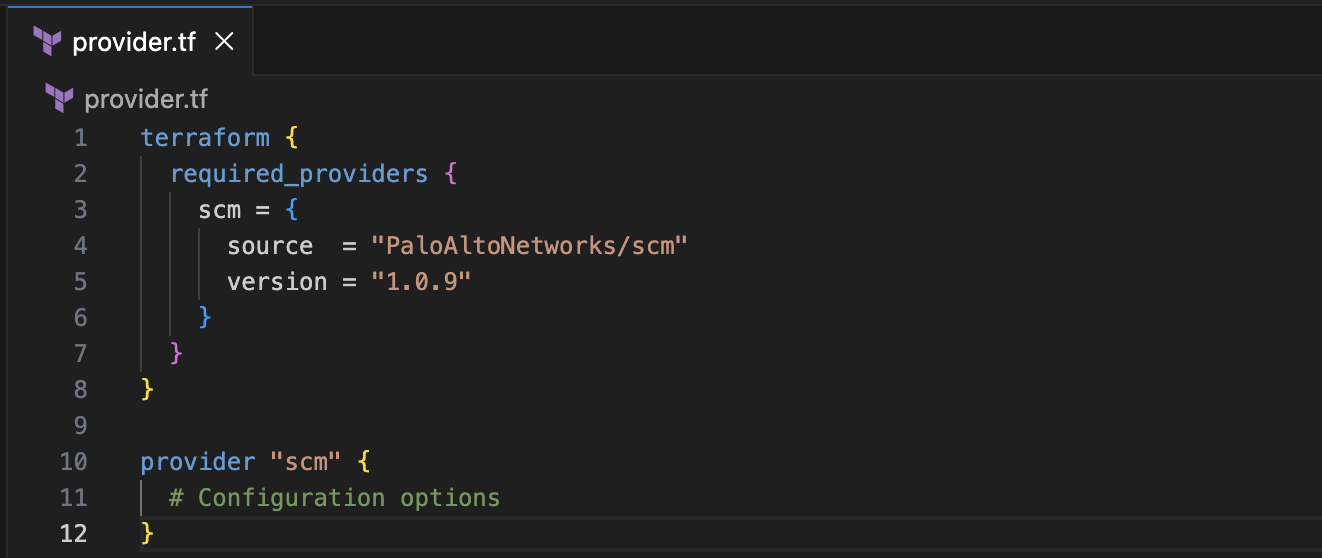
provider.tffile in your local project directory. - Copy the Configuration Block from the Strata Cloud Manager Terraform Registry. This defines the provider source and version, while providing a placeholder for your connection details.
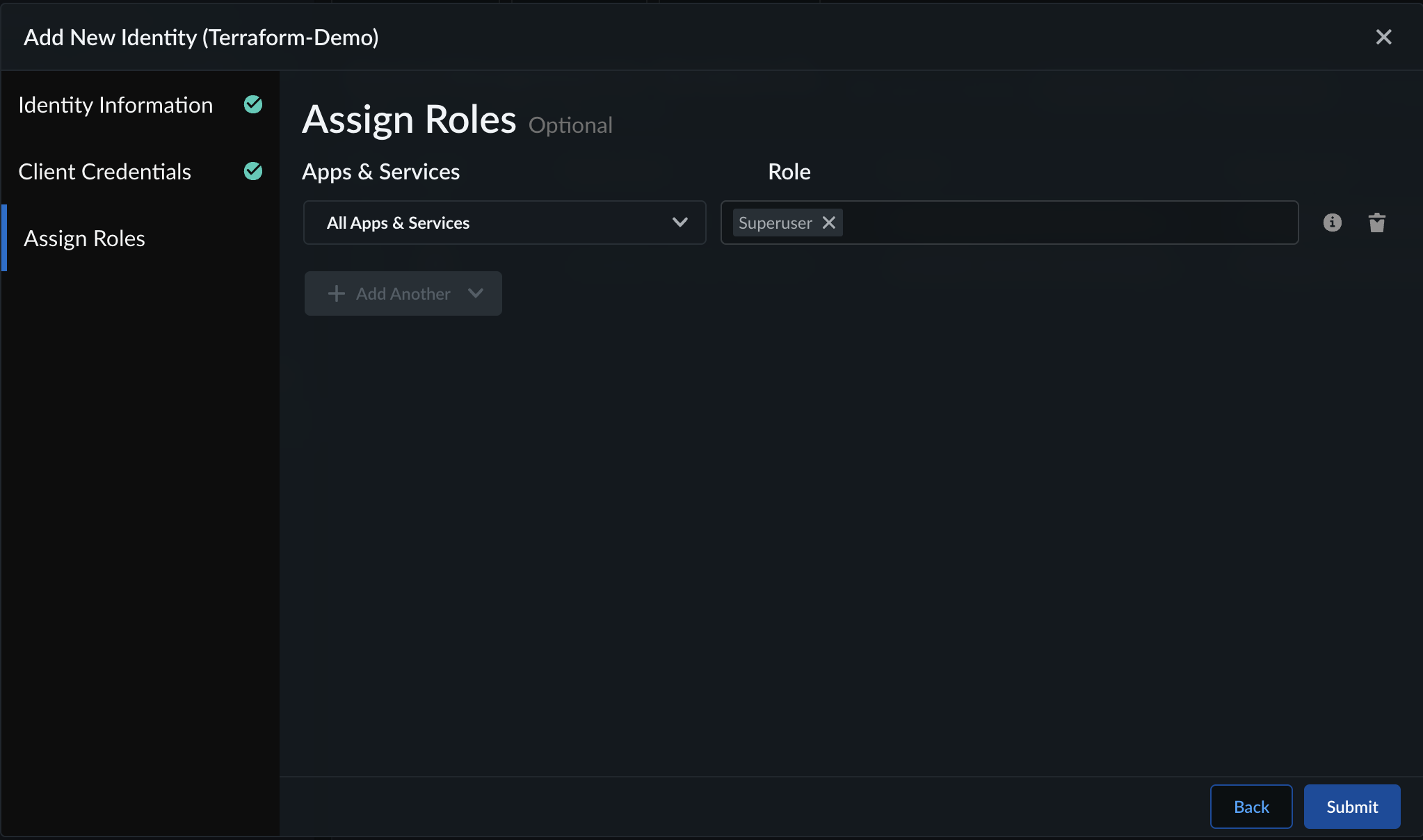
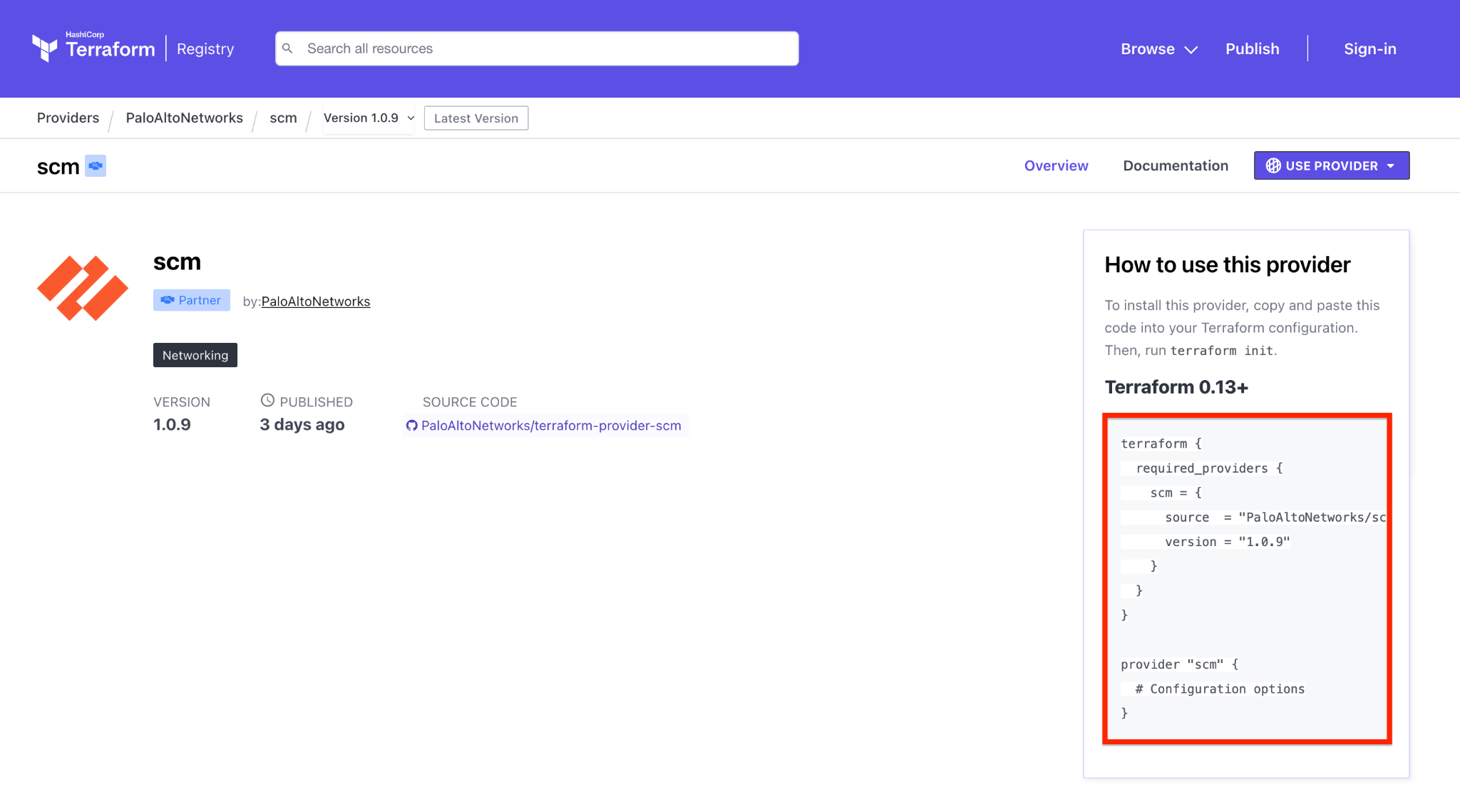
- Paste the block into your
provider.tffile.
Step 3: Populate the Strata Cloud Manager Provider Block
Populate the provider block with your specific environment details:
- host: The Strata Cloud Manager API endpoint.
- client_id: Your Service Account ID.
- client_secret: Your Service Account Secret.
- tsg_id: Your Tenant Service Group ID.
provider "scm" {
  host          = "api.sase.paloaltonetworks.com"
  client_id     = "<YOUR_CLIENT_ID>"
  client_secret = "<YOUR_CLIENT_SECRET>"
  scope         = "tsg_id:<YOUR_TSG_ID>"
}
Once your provider is configured, save the file and run terraform init to initialize your Terraform workspace.
Step 4: Retrieve the ID of the Snippet
To import the snippet that was recently migrated from Panorama to Strata Cloud Manager into your Terraform state, you need its unique ID. You can retrieve this ID using two methods: natively through a Terraform data source, or by querying the API using Postman.
Method A: Using a Terraform Data Source
Using a data source is the native way to fetch information about existing infrastructure directly within Terraform.
- Create the Configuration File: In your Terraform workspace, create a new file named
scm_snippet_list.tf. - Consult the Registry: Search for the
scm_snippet_listdata source in the Official Terraform Registry. - Configure the Data Source: Copy the data source block from the registry documentation and paste it into your
scm_snippet_list.tffile. It includes the data source and an output block to display the retrieved data.
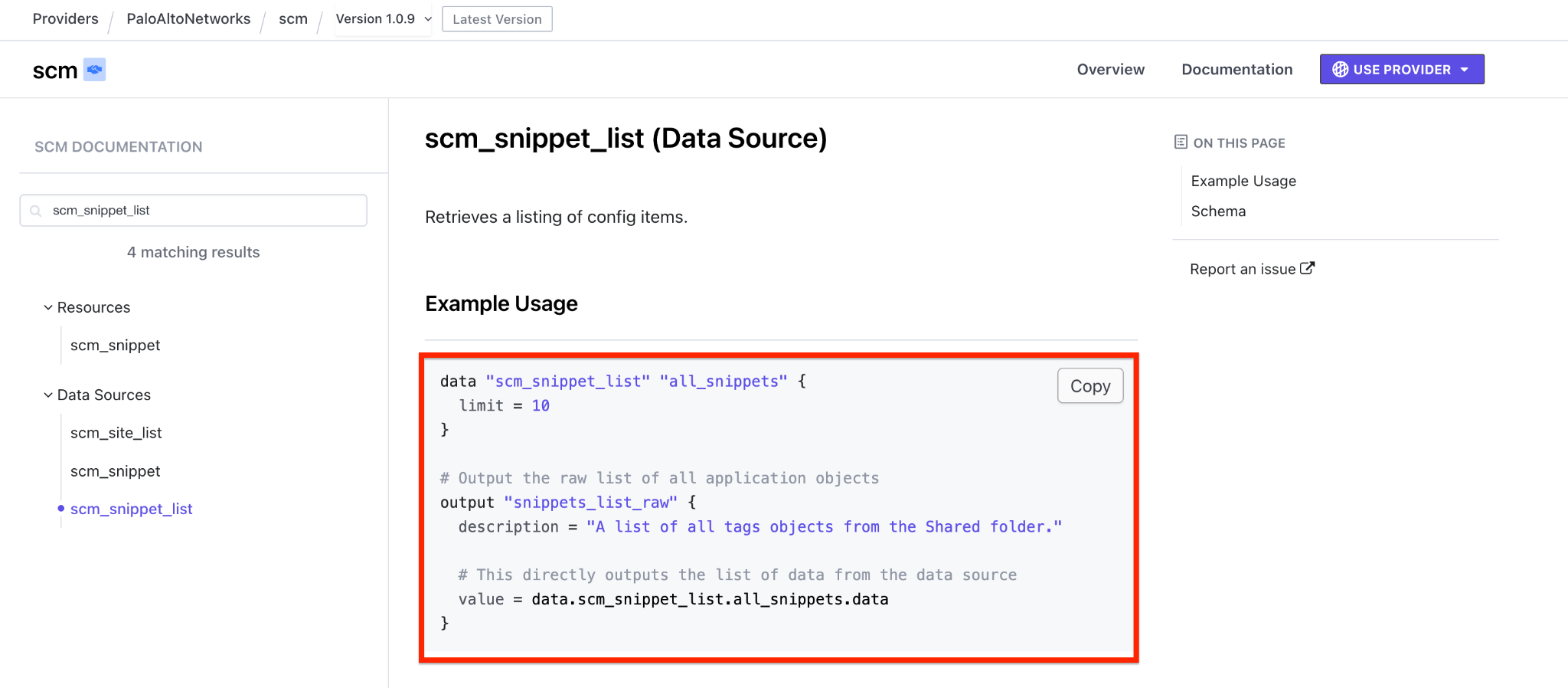
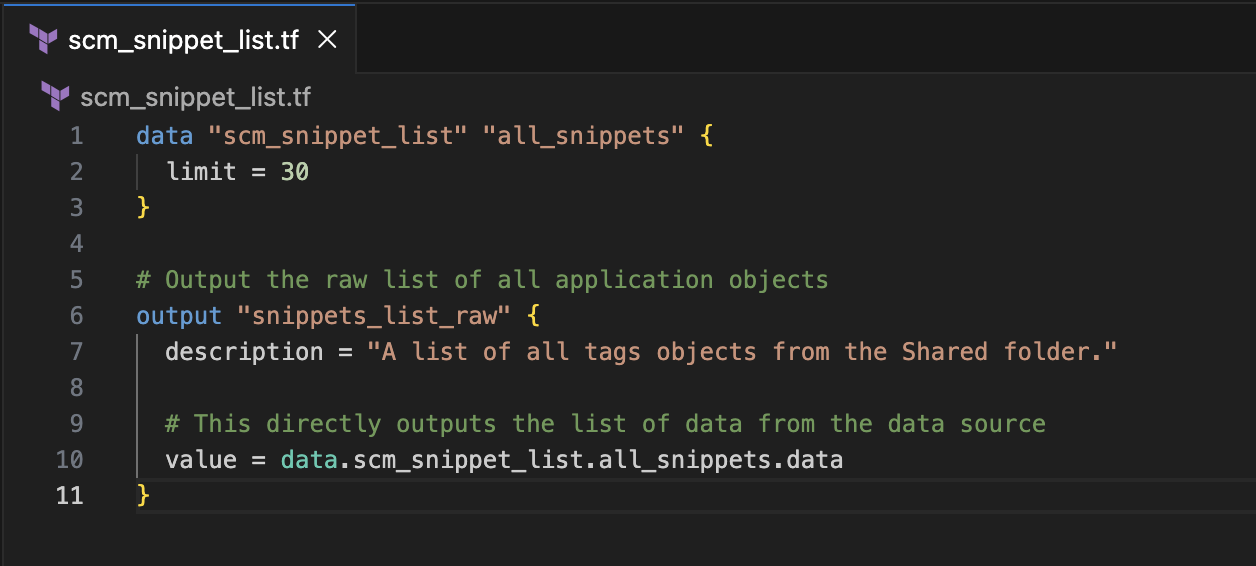
Tip: You can increase the
limit = 10value if you have a large number of snippets and need to retrieve more results.
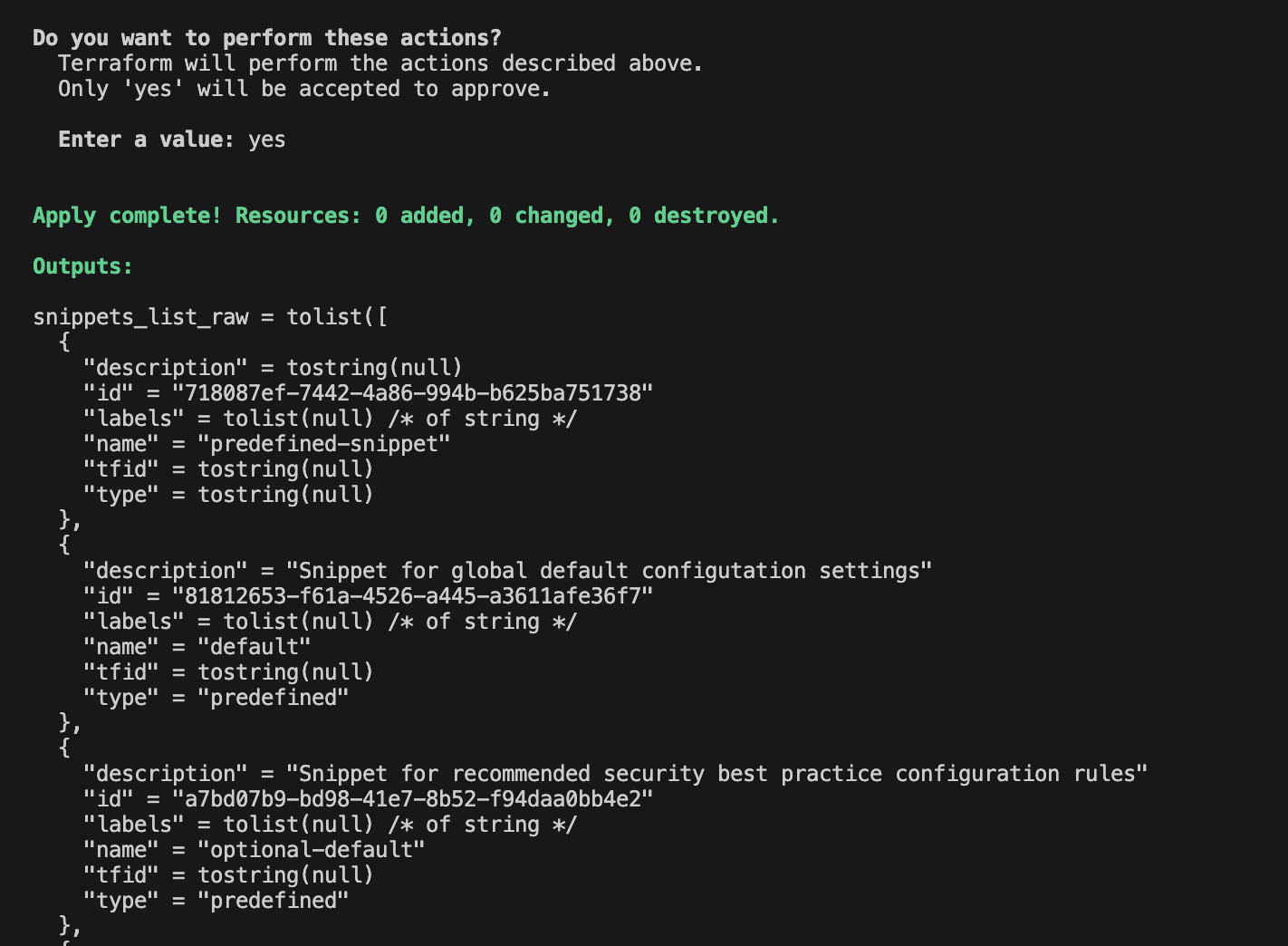
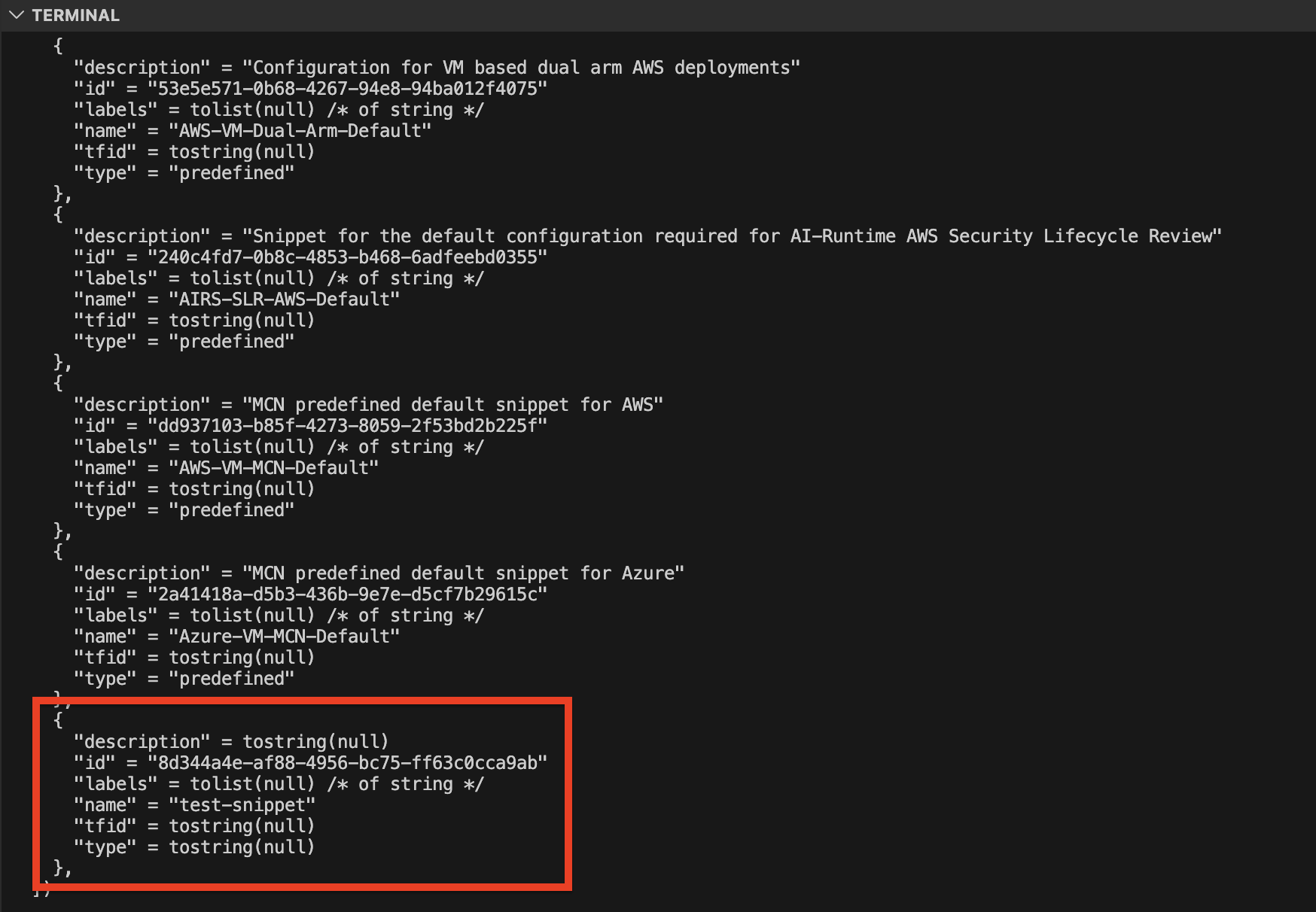
- Execute the Code: Run
terraform applyto display the output. - Copy the ID: Once the command completes, locate your target snippet within the output and copy the corresponding ID value.
Method B: Using Postman
If you prefer to find the ID outside of Terraform, you can query the API directly using a tool like Postman.
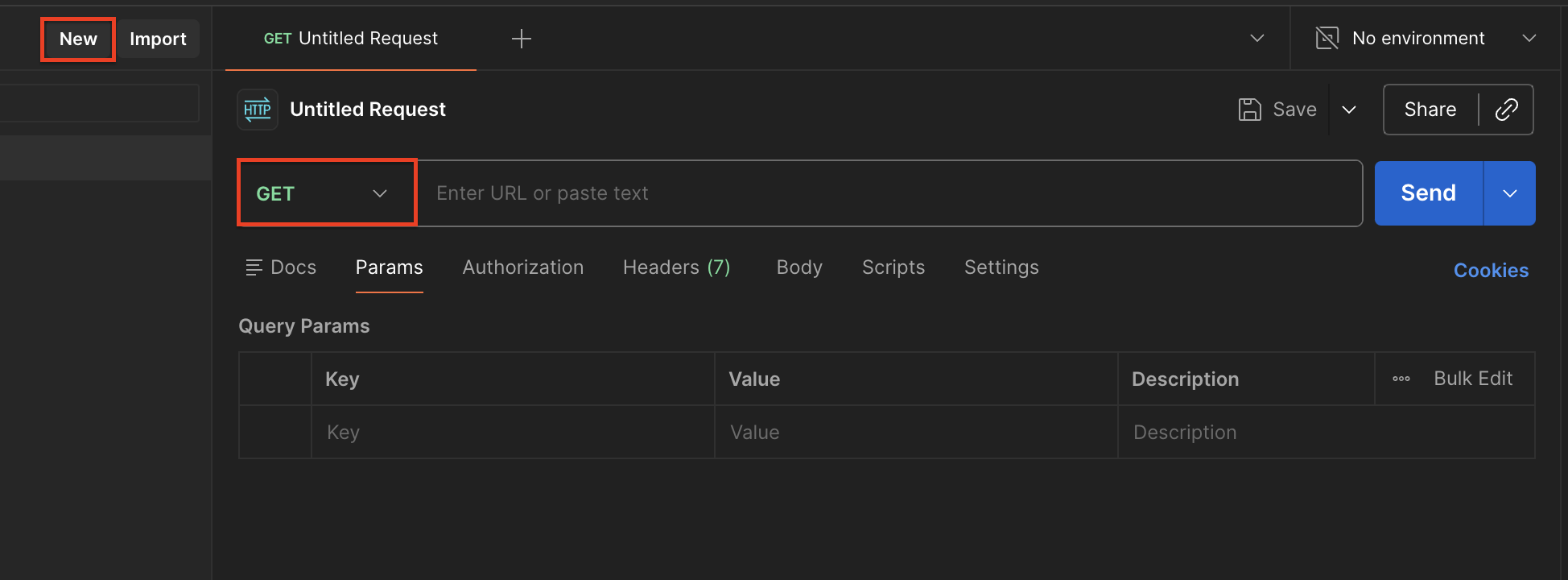
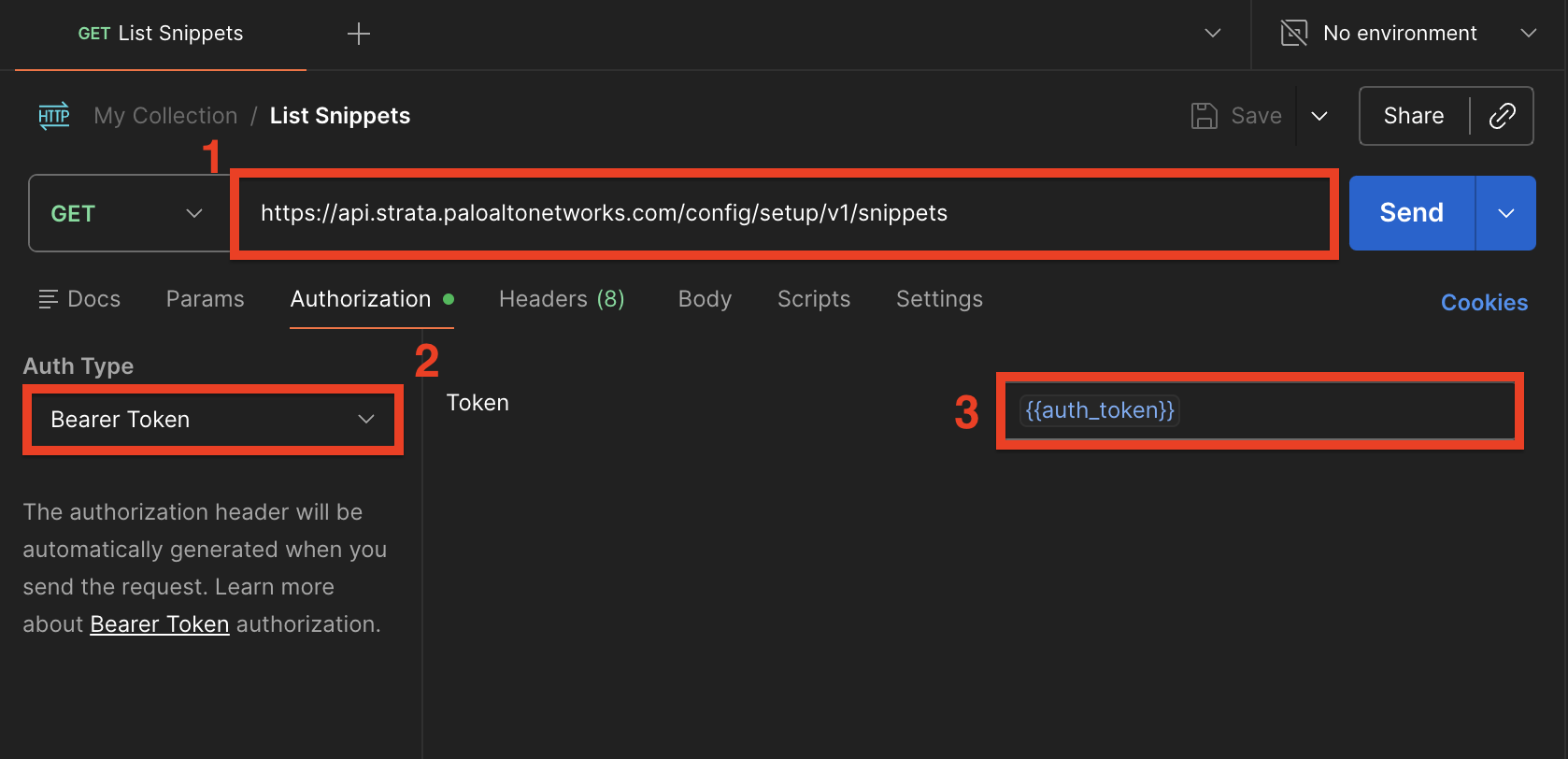
- Create a New Request: Open Postman and create a new HTTP request. Set the HTTP method to GET.
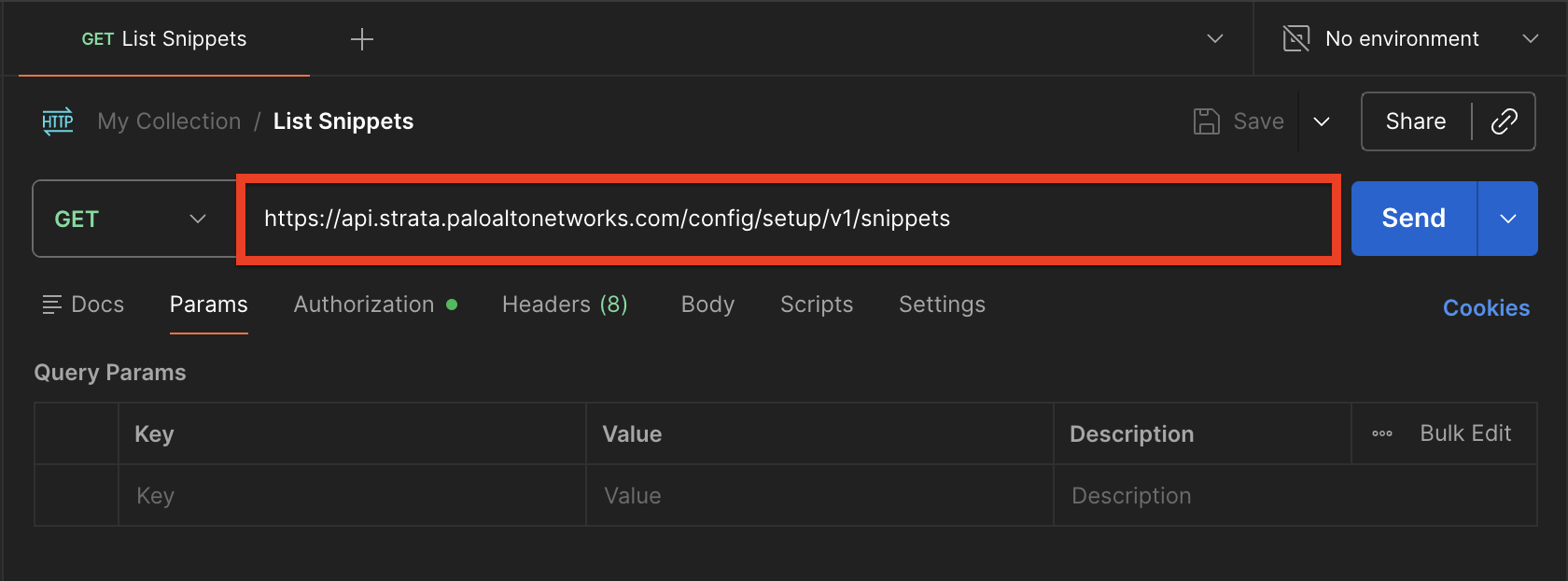
- Enter the Endpoint: In the URL field, enter the API endpoint used to list your snippets:
https://api.strata.paloaltonetworks.com/config/setup/v1/snippets. You can find complete details on the List Snippets page on pan.dev.
- Configure Authorization: Select the Authorization tab and enter your Bearer Token to authenticate your request.
- Send the Request: Click Send to execute the API call.
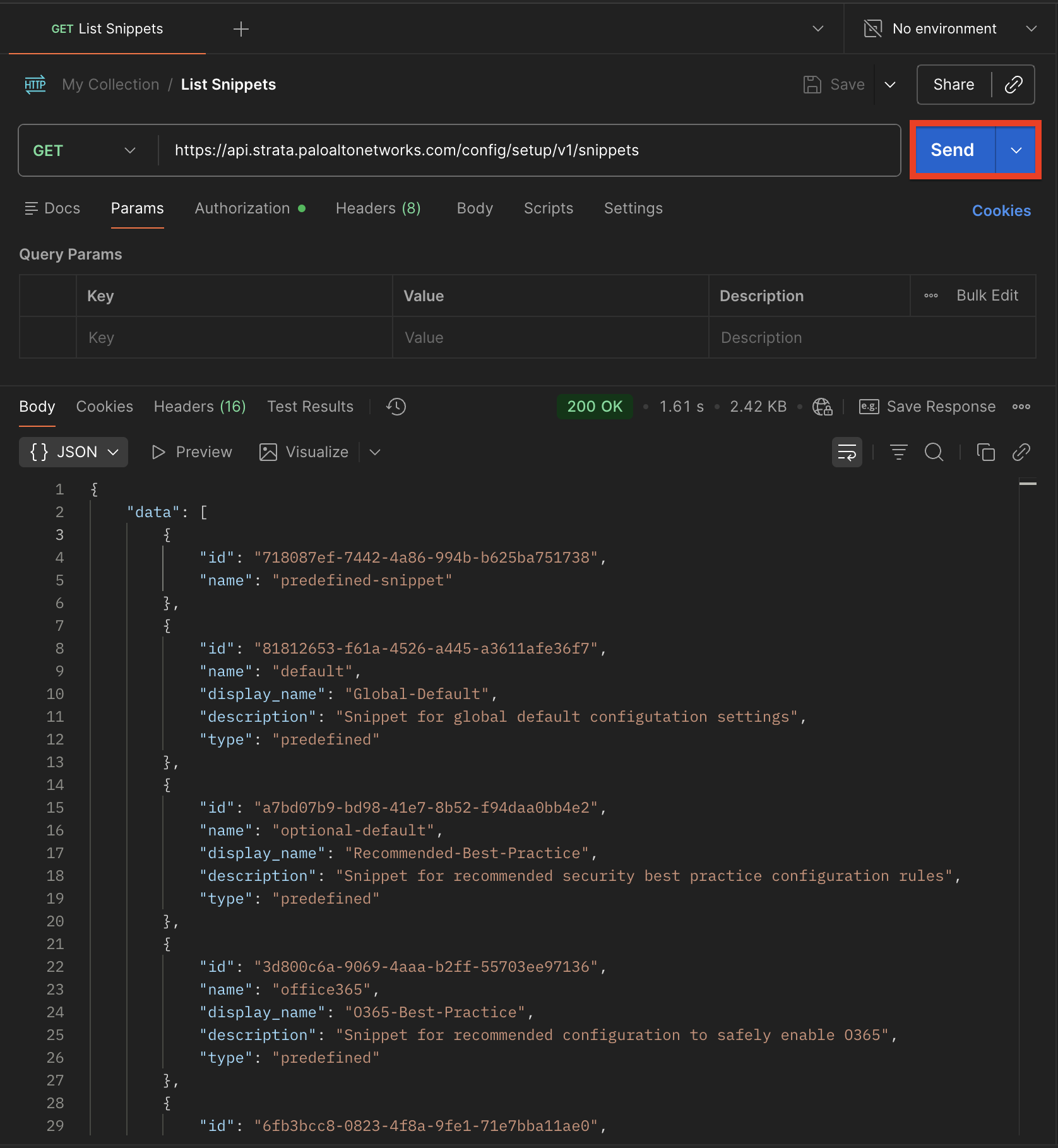
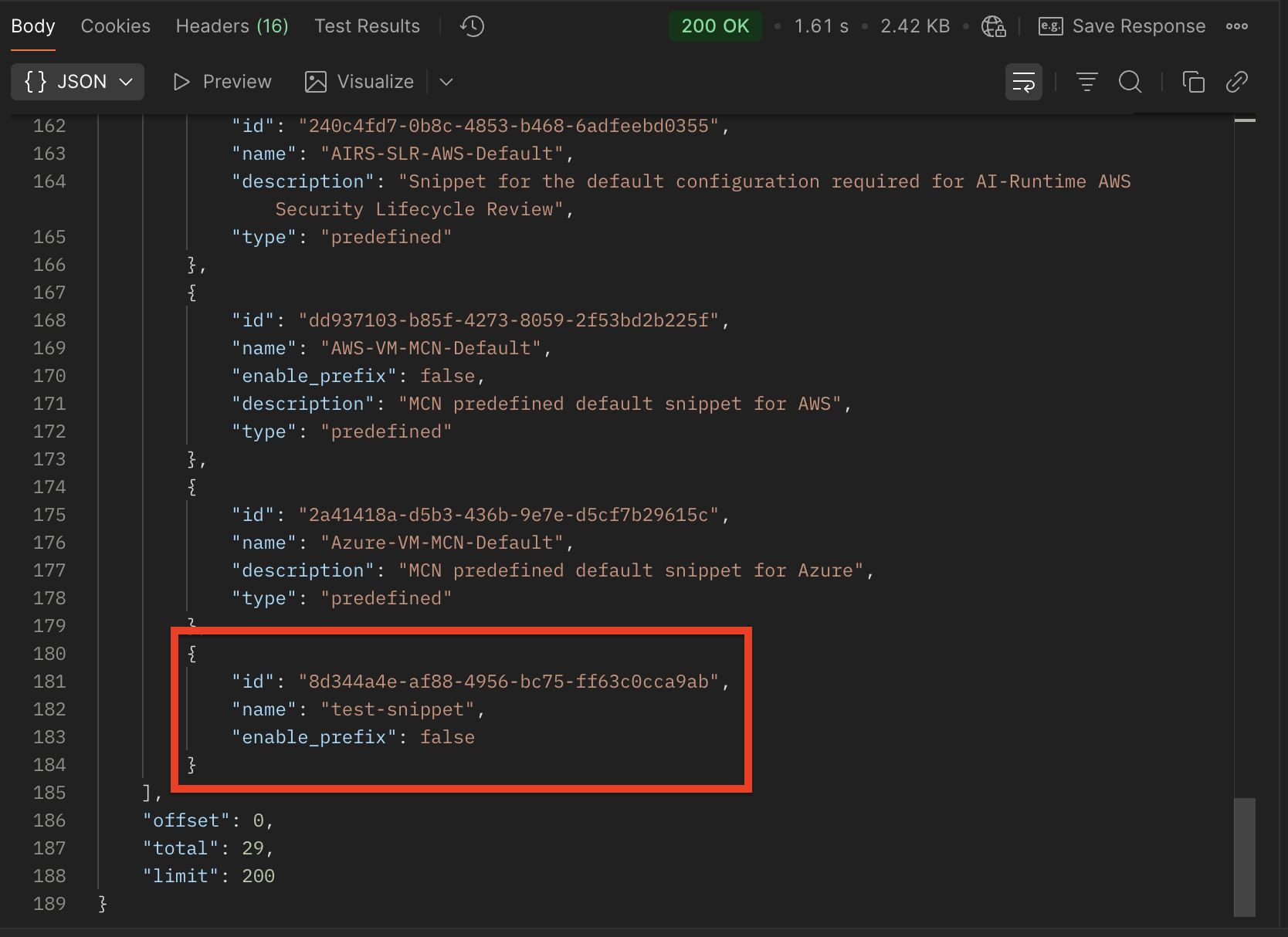
- Copy the ID: In the response pane at the bottom, review the returned JSON payload. Locate your target snippet within the list and copy the corresponding ID value.
Step 5: Perform the Import Command
- Prepare the Configuration: Create an empty resource block in your
.tffile to serve as a placeholder.
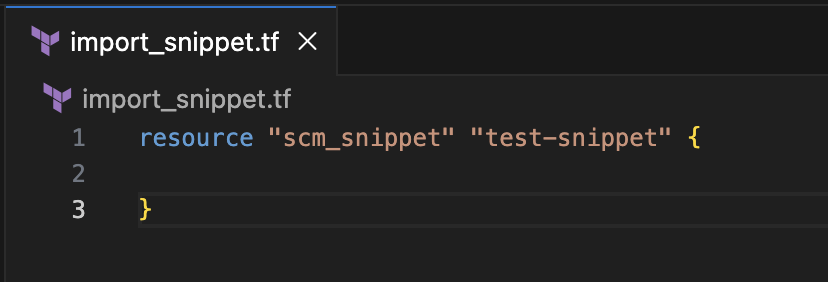
- Execute Import Command: Run
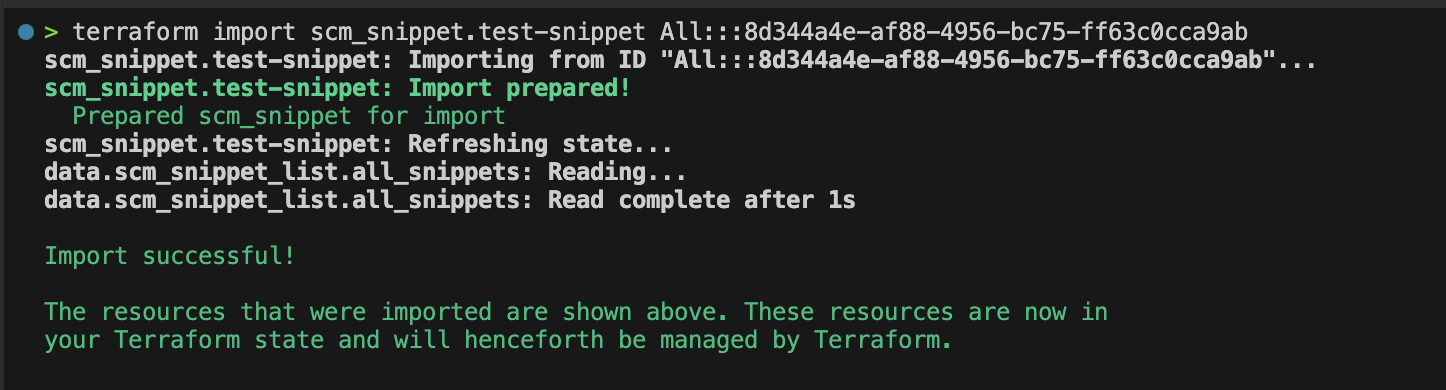
terraform import scm_snippet.[Resource Name] [Scope Name]:::[ID of Object]to pull the existing snippet into your state.
Streamlining Snippet Imports with Automation
Manually running terraform import for a massive library of snippets is tedious and inefficient. To streamline this workflow, you can use scripts to automate the bulk import process.
Below is an example Python script that queries the Strata Cloud Manager API to retrieve all snippet IDs and automatically executes the terraform import command for each resource.
Prerequisites
Before running the script, ensure the following are available in your environment:
- Python 3.10+
requestslibrary (pip install requests)- Strata Cloud Manager Terraform environment setup (Steps 1–3)
Running the Python Script
- Copy the script below and save it as
import_snippet_script.pyin your Terraform project directory. - Replace the placeholders below with your specific environment details:
CLIENT_ID     = "<YOUR_SCM_CLIENT_ID>"
CLIENT_SECRET = "<YOUR_SCM_CLIENT_SECRET>"
TSG_ID        = "<YOUR_TSG_ID>"
- In your terminal, go to your Terraform project directory and run
python3 import_snippet_script.py.
import os
import re
import subprocess
import time
import requests

# --- Configuration ---

# read from environment variables
CLIENT_ID     = "<YOUR_SCM_CLIENT_ID>"
CLIENT_SECRET = "<YOUR_SCM_CLIENT_SECRET>"
TSG_ID        = "<YOUR_TSG_ID>"

# SCM API endpoints
AUTH_URL    = "https://auth.apps.paloaltonetworks.com/am/oauth2/access_token"
SNIPPET_URL = "https://api.strata.paloaltonetworks.com/config/setup/v1/snippets"

# terraform import scope
SCOPE = "All"

def get_scm_token(client_id: str, client_secret: str, tsg_id: str) -> tuple[str, float]:

    """Authenticate using client credentials and return a Bearer Token and expiry time."""

    # POST to the OAuth2 token endpoint using client credentials grant
    response = requests.post(
        AUTH_URL,
        auth=(client_id, client_secret),
        data={
            "grant_type": "client_credentials",
            "scope":      f"tsg_id:{tsg_id}"
          }
    )
    response.raise_for_status()
    data = response.json()

    # calculate token expiry, subtracting 60s as a buffer before actual expiration
    expires_at = time.time() + int(data.get("expires_in", 900)) - 60
    return data["access_token"], expires_at

def fetch_snippets(token: str) -> list:

    """Retrieve snippets from the SCM API."""

    response = requests.get(
        SNIPPET_URL,
        headers={
            "Authorization": f"Bearer {token}",
            "Content-Type":  "application/json"
        }
    )

    response.raise_for_status()

    return [s for s in response.json().get("data", [])]

def sanitize_name(name: str) -> str:

    """Convert a snippet name to a valid Terraform resource name."""

    # lowercase, replace, and remove any remaining invalid characters
    name = name.lower()
    name = re.sub(r'[\s\-]+', '_', name)
    name = re.sub(r'[^a-z0-9_]', '', name)
    return name

def create_placeholder(tf_name: str, tf_file: str):

    """Append an empty Terraform resource block if one doesn't already exist."""

    # if the file already exists, check whether this resource block is already present

    if os.path.exists(tf_file):
        with open(tf_file, "r") as f:
            if f'"{tf_name}"' in f.read():
                return  # skip if resource block already exists

    # append (or create) the file with an empty resource block for terraform to import into
    with open(tf_file, "a") as f:
        f.write(f'resource "scm_snippet" "{tf_name}" {{}}\n')

    print(f"  Created placeholder for: {tf_name}")

def import_snippet(tf_name: str, snippet_id: str):

    """Run the Terraform import command for a given snippet."""

    # runs: terraform import scm_snippet.<tf_name> <SCOPE>:::<snippet_id>
    result = subprocess.run(
        ["terraform", "import", f"scm_snippet.{tf_name}",
         f"{SCOPE}:::{snippet_id}"],
         capture_output=True,
         text=True
        )

    if result.returncode == 0:
         print(f"  Successfully imported: {tf_name}")
    else:
        print(f"  WARNING: Import failed for: {tf_name}")
        print(f"  {result.stderr.strip()}")

def main():
    """Main execution function."""

    # Step 1: Authenticate and retrieve a Bearer Token.
    print("Authenticating with SCM API...")
    token, expires_at = get_scm_token(CLIENT_ID, CLIENT_SECRET, TSG_ID)
    print(f"  Token valid until: {time.strftime('%H:%M:%S', time.localtime(expires_at))}")

    # Step 2: Fetch the snippets from the SCM API.
    print("Fetching snippets...")
    snippets = fetch_snippets(token)
    print(f"Found {len(snippets)} snippet(s). Starting import...\n")

    # Step 3: For each snippet, create a Terraform placeholder and run the import.
    for snippet in snippets:
        name       = snippet.get("name", "")
        snippet_id = snippet.get("id", "")
        tf_name    = sanitize_name(name)   # convert to a valid Terraform resource name
        tf_file    = "import_snippet.tf"

        print(f"Importing snippet: {name} (ID: {snippet_id})")
        create_placeholder(tf_name, tf_file)  # ensure the resource block exists in the .tf file
        import_snippet(tf_name, snippet_id)   # pull the snippet into terraform state

    print("\nDone.")

if __name__ == "__main__":
    main()
Once executed, the script:
- Authenticates with the Strata Cloud Manager API using your service account credentials.
- Retrieves a complete list of snippets from your tenant.
- Writes an empty Terraform resource block into an
import_snippet.tffile for every retrieved snippet. - Executes the
terraform importcommand for each snippet sequentially, bringing them into your Terraform state.